 VisualFlow
Visualflow: From React Flow Canvas to a Complete Visual Workflow Builder
The future of workflow development is not simply about connecting nodes on a screen. It is about creating visual experiences where users can design, configure, understand, execute, and manage complex processes intuitively.
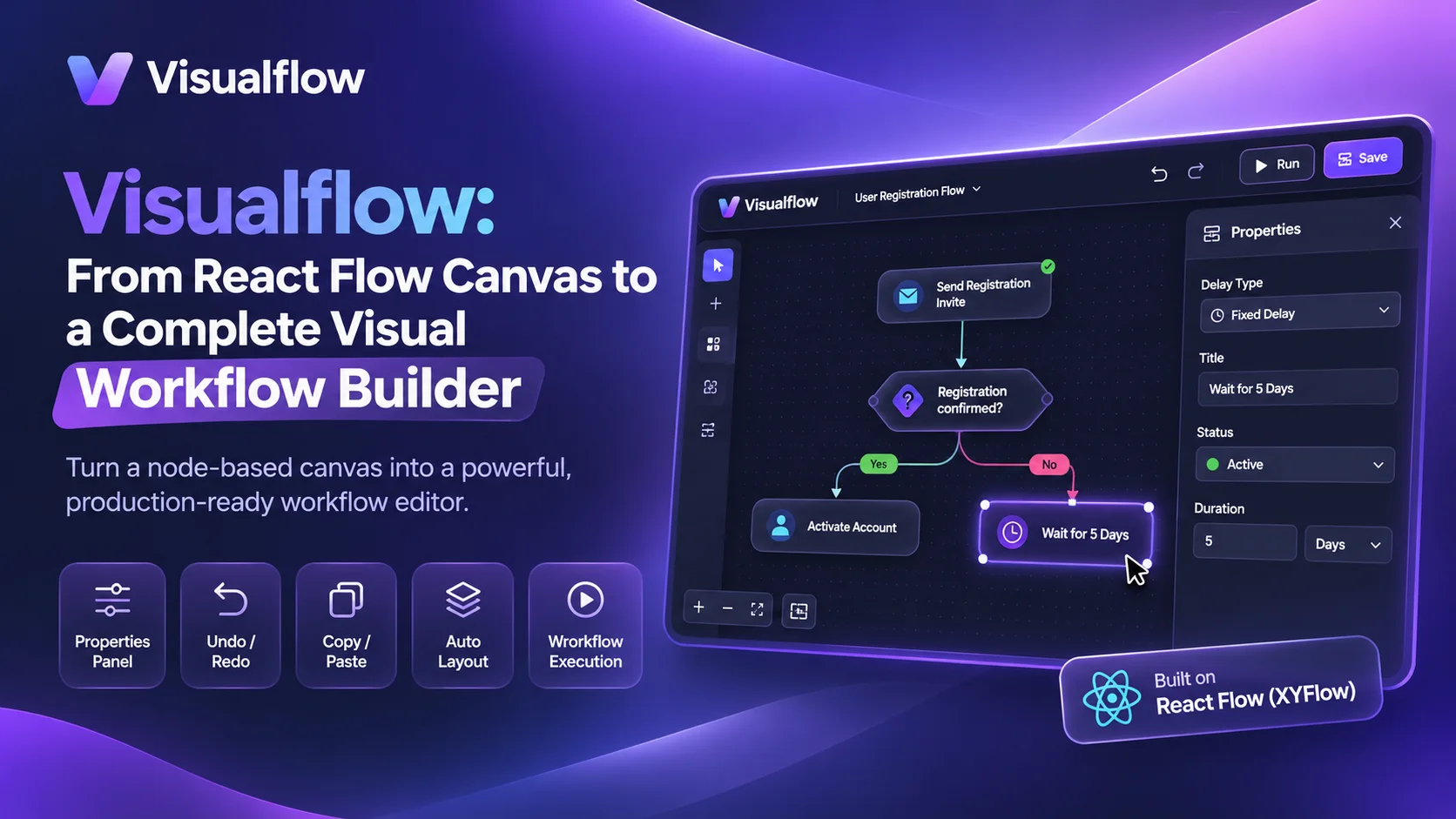
Building a visual workflow editor with React Flow is easier than ever. With its powerful node-based architecture, customizable components, and flexible API, developers can create interactive canvases for designing workflows, automation systems, diagrams, and complex processes.
But creating a canvas is only the beginning.
A production-ready workflow builder needs much more than nodes and edges. It requires structured node configuration, intelligent layouts, workflow validation, execution visualization, state management, and an intuitive user experience.
This is where Visualflow comes in.
Visualflow is designed to bridge the gap between a node-based rendering library and a complete visual workflow development experience. Built on React Flow (XYFlow), Visualflow provides a flexible foundation for building, customizing, and managing sophisticated workflow editors without having to implement every essential feature from scratch.
Let's explore what makes a visual workflow builder more than just a canvas.
React Flow Is the Foundation, Not the Entire Solution
React Flow provides excellent tools for rendering interactive node-based graphs. Developers can create custom nodes, connect edges, implement drag-and-drop interactions, and build highly flexible visual interfaces.
However, React Flow intentionally focuses on graph rendering rather than defining how a complete workflow application should function.
When building a real workflow product, developers still need to implement:
- Node configuration and properties panels
- Structured data management and validation
- Undo, redo, and clipboard functionality
- Automatic graph layout and edge routing
- Workflow execution and runtime visualization
- Consistent UI design and customization
- Scalable architecture for complex workflows
These requirements often turn a seemingly straightforward project into a much larger engineering challenge.
Visualflow aims to simplify this process by providing the building blocks needed to transform an interactive graph into a functional workflow editor.
1. Interactive Node Configuration and Properties Panel
A workflow node represents more than a visual element. It can represent an API request, database operation, decision-making condition, automation action, or business process.
Users need an intuitive way to configure these nodes without interacting directly with raw data structures.
Visualflow brings node configuration into the workflow editing experience through customizable properties and configuration interfaces.
Instead of manually building an entirely new editing experience for every node, developers can create reusable node types with configurable properties, helping maintain consistency across the application.
This approach makes workflow editors easier to maintain, extend, and scale.
2. Undo, Redo, and Clipboard Support
Editing complex workflows requires confidence. Users should be able to experiment with their designs without worrying about losing previous work.
Undo and redo are essential features of a professional visual editor. However, implementing them correctly involves tracking more than node positions.
A workflow editor must account for changes to:
- Node configuration and properties
- Node positions and dimensions
- Connections and edge properties
- Node creation and deletion
- Multiple editing operations
Visualflow makes workflow editing more convenient by supporting essential editing interactions such as undo, redo, and copying and pasting workflow elements.
These capabilities improve productivity and provide a smoother editing experience when working with complex diagrams.
3. Intelligent Automatic Layout and Edge Routing
As workflows grow, manually arranging nodes becomes increasingly difficult.
A well-designed workflow editor should help users organize nodes automatically while preserving the logical structure of the graph.
Visualflow supports intelligent layout capabilities to help create organized and readable workflows.
Beyond positioning nodes, edge routing plays a critical role in diagram clarity. Poorly routed connections can overlap nodes, cross other edges, and make complex workflows difficult to understand.
With layout and routing capabilities, Visualflow aims to keep connections visually clear and workflows easier to navigate.
This is especially valuable for branching logic, conditional workflows, and large automation pipelines.
4. Customizable Design System and User Experience
Every application has its own design language.
A workflow editor embedded into an existing application should feel like a natural extension of the product rather than a separate tool.
Visualflow provides a customizable foundation for designing workflow interfaces that align with application-specific requirements.
Developers can adapt node appearances, interface components, styling, and editor behavior to create a consistent experience.
A flexible design system also makes it easier to build workflow editors for different use cases, including SaaS applications, automation platforms, business process management tools, and internal enterprise systems.
5. Workflow Execution and Runtime Visualization
One of the most important differences between a diagram editor and a workflow platform is execution.
A diagram illustrates a process. A workflow system actually performs it.
When workflows execute, users need visibility into what is happening:
- Which node is currently running?
- Which condition or branch was selected?
- Which steps have completed successfully?
- Where did an error occur?
- What information was passed between steps?
Visualflow is designed to support execution-aware workflow visualization, connecting the visual representation of a workflow with its runtime behavior.
This creates a more intuitive debugging and monitoring experience. Instead of interpreting logs separately from the workflow diagram, users can understand execution directly through the visual interface.
6. Designed for Extensibility and Modern Applications
Modern workflow applications are rarely simple linear diagrams. They may include conditional branches, nested processes, custom node types, external integrations, and complex business logic.
Visualflow is built around flexibility and extensibility, making it suitable for developers who need to create specialized workflow experiences.
Whether you're building an automation platform, a visual programming tool, a business process editor, or a custom diagramming application, a flexible workflow foundation can significantly reduce development complexity.
The goal is not to restrict developers to a predefined workflow structure. It is to provide the foundation for building workflow experiences tailored to specific products and requirements.
Why Choose Visualflow for Your Workflow Builder?
Building a workflow editor entirely from scratch requires considerable time and engineering resources. Even when React Flow provides the canvas, the surrounding infrastructure still needs to be designed, developed, tested, and maintained.
Visualflow helps developers focus on their product's unique functionality rather than repeatedly implementing common workflow editor capabilities.
| Capability | React Flow Core | Visualflow |
|---|---|---|
| Interactive node-based canvas | Yes | Built on React Flow |
| Custom nodes and edges | Yes | Extensible |
| Node configuration experience | Build yourself | Integrated capabilities |
| Undo and redo | Build yourself | Supported |
| Copy and paste | Build yourself | Supported |
| Automatic layout | External integration | Integrated capabilities |
| Edge routing | Custom implementation | Supported capabilities |
| Workflow execution visualization | Build yourself | Execution-aware design |
| Customization and extensibility | Highly flexible | Highly flexible |
React Flow remains an excellent choice for developers who want complete control over the rendering layer and are comfortable building the surrounding infrastructure.
Visualflow is an alternative for teams that want to move beyond canvas development and accelerate the creation of a more complete workflow editing experience.
Build More Than a Diagram
The future of workflow development is not simply about connecting nodes on a screen. It is about creating visual experiences where users can design, configure, understand, execute, and manage complex processes intuitively.
React Flow gives developers a powerful canvas.
Visualflow builds on that foundation to help turn the canvas into a more complete workflow development experience.
Stop building every workflow editor from scratch. Start building with Visualflow.
Explore Visualflow and discover how to create powerful, interactive, and customizable visual workflow editors for modern web applications.