 VisualFlow
React Flow Examples: 15+ Projects That Show What You Can Build With React
Modern web applications are becoming more interactive, visual, and connected.
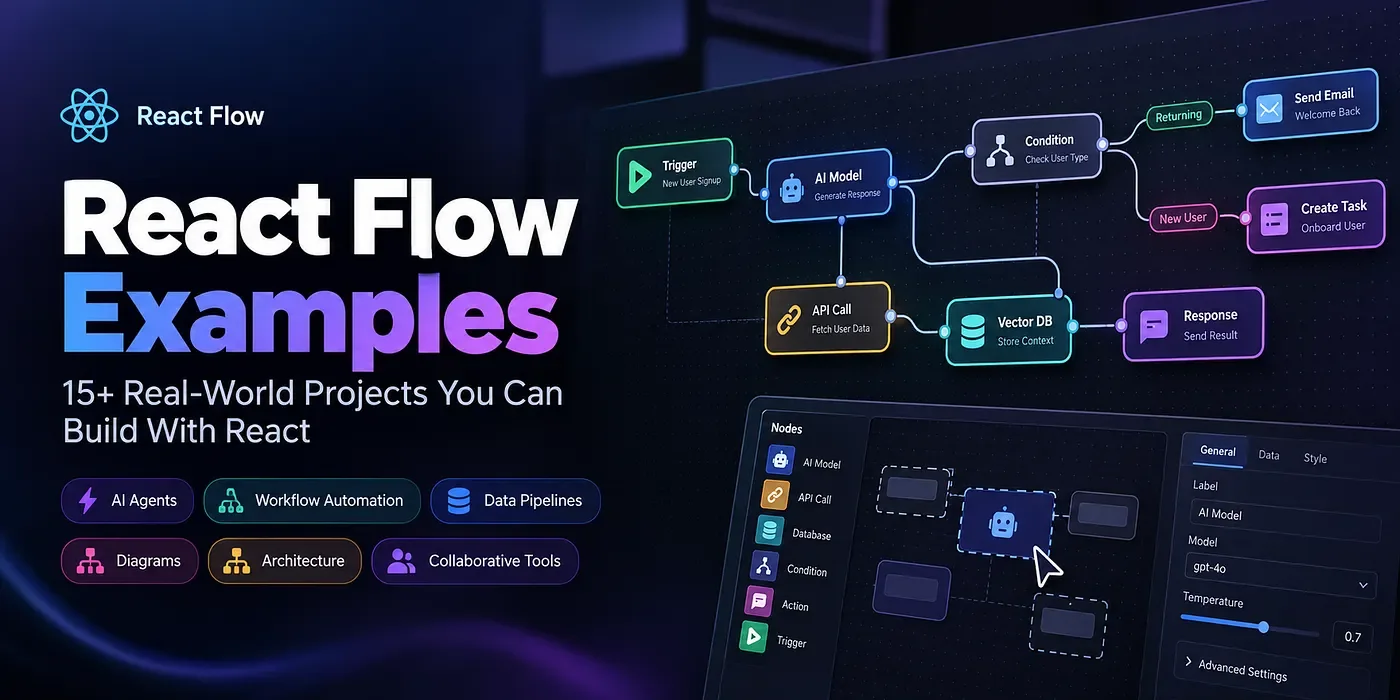
Think about tools like workflow automation platforms, AI agent builders, visual programming environments, mind maps, and system architecture editors. What do they have in common?
They allow users to build, understand, and manage complex systems through connected visual elements rather than relying entirely on code or traditional forms.
For React developers, React Flow makes building these node-based applications much easier.
But learning React Flow is only the first step. The real challenge is understanding how to turn its nodes, edges, and interactive canvas into a complete application.
In this article, we’ll explore 15+ practical React Flow examples, discuss the technical concepts behind them, examine performance optimization strategies, and look at how reusable templates can help developers build faster.
Whether you’re learning React Flow for the first time or building your next SaaS product, these examples will give you ideas you can apply to real projects.
What Is React Flow? React Flow, part of the XYFlow ecosystem, is a React library for building interactive node-based editors and diagrams.
It provides the foundational functionality developers need to create applications where users can add nodes, connect components, move elements around a canvas, and interact with complex graphs.
Some of its core features include:
- Custom nodes and edges Drag-and-drop interactions Zooming and panning Connection handles and validation Node selection and manipulation Minimap and background components Programmatic graph updates Custom React components inside nodes One of its biggest advantages is flexibility.
A node can represent almost anything: an AI model, a database, an API request, a task, a decision, or an entire service.
This makes React Flow useful for a wide variety of applications, from simple flowcharts to advanced visual development platforms.
You can explore the official examples here: https://reactflow.dev/examples
Now let’s look at what you can actually build with it.
1. Workflow Automation Builder Imagine creating an automation without writing a single line of workflow code.
A user connects a trigger, adds a condition, and defines an action.
For example:
New Order → Check Payment → Send Confirmation → Notify Warehouse
This is the foundation of a visual workflow builder.
With React Flow, you can create custom nodes for triggers, conditions, actions, and outputs. Users can connect them visually to define how a process should work.
A production-ready workflow builder might include:
- Drag-and-drop node creation Custom node configuration panels Connection validation Workflow saving and restoration Execution logs Undo and redo Error handling The important distinction is that React Flow provides the visual editor, while your backend or execution engine handles the actual workflow logic.
Where it fits: Business automation, CRM platforms, e-commerce systems, and SaaS products.
- AI Agent Builder AI applications are increasingly moving beyond simple chat interfaces.
Developers are building systems in which AI models interact with tools, retrieve information, call APIs, and execute multi-step tasks.
A visual AI agent builder can represent this process as a graph:
User Input → AI Model → Tool Selection → API Call → Final Response
Each node can have its own configuration, such as a model, system prompt, temperature, tool parameters, or input mapping.
You could also introduce memory nodes, conditional branches, retrieval components, and execution monitoring.
The visual editor helps users understand how the system is structured. The underlying application must still manage model calls, credentials, authorization, and execution.
Where it fits: AI SaaS products, agent orchestration tools, prompt engineering platforms, and visual AI development environments.
- AI Pipeline and RAG Builder Retrieval-augmented generation (RAG) is a common approach for connecting language models to external knowledge sources.
A visual RAG pipeline might look like this:
Document Loader → Text Splitter → Embedding Model → Vector Database → Retriever → LLM
Each node represents a processing stage, while edges define the flow of data.
Using React Flow, you can build an interface that allows developers to configure components, inspect connections, validate inputs, and run the pipeline.
Useful features include component libraries, typed connections, execution previews, error highlighting, and pipeline export.
This is a good example of how React Flow can become the foundation of a specialized developer tool rather than just a diagramming library.
- Marketing Automation Builder Marketing automation often involves a sequence of events, delays, conditions, and customer actions.
For example:
New Subscriber → Wait 24 Hours → Check Engagement → Send Email or SMS
Each step can be represented by a custom node.
Users can create different branches depending on whether a customer opened an email, purchased a product, or completed a specific action.
The interface becomes much more powerful when it includes audience segmentation, scheduling, analytics, and workflow validation.
React Flow handles the graph interaction. The application needs additional services to schedule tasks, process events, and communicate with external marketing platforms.
- Interactive Mind Map Mind maps are one of the simplest and most useful applications of node-based interfaces.
Imagine a central node called “Web Development” connected to React, Next.js, databases, APIs, testing, and deployment.
Each branch can expand into smaller concepts.
With React Flow, you can implement:
Dynamic node creation Expand and collapse controls Inline editing Custom colors and styles Automatic layout Search and filtering Export functionality Mind maps are especially useful for brainstorming, learning, research planning, and knowledge management.
For larger graphs, collapsing branches and using automatic layouts can significantly improve usability.
- Microservice Architecture Visualizer Modern applications often contain many interconnected services.
A microservice architecture visualizer allows developers to understand how these services communicate.
For example:
API Gateway Authentication Service Product Service Order Service Payment Service Database Message Queue Each service becomes a node, and each connection represents a dependency or communication path.
Custom nodes can display service health, technology stacks, environment information, or deployment status.
This type of application can be particularly useful for developer tools, cloud platforms, and technical documentation systems.
- Organizational Chart Builder An organizational chart represents reporting relationships between employees, teams, and departments.
For example:
CEO → Engineering Director → Frontend Team → Developers
Custom nodes can display names, roles, profile images, and team information.
You can also implement expandable departments, employee search, grouping, and interactive restructuring.
For large organizations, a hierarchical layout and progressive expansion can make the chart easier to navigate.
- State Machine Visualizer State machines describe the states of a system and the transitions between them.
Consider an order-processing system:
Pending → Paid → Processing → Shipped → Delivered
Additional transitions might handle payment failures, cancellations, or refunds.
React Flow can visualize these states and their relationships.
Custom nodes can represent individual states, while edges describe transitions and conditions.
This is useful for developers who need to understand complex application logic, payment flows, game states, or business processes.
Remember that the visual representation and the actual state-transition engine should remain separate so that the logic can be tested independently.
- Git Branching Visualizer Git histories are naturally represented as graphs.
Each commit can be a node, and edges can represent parent-child relationships.
A React Flow-based Git visualizer could display branches, merges, commit history, and release points.
Developers could select commits, highlight branches, and navigate through the repository’s history.
The graph data should come from Git itself or a version-control API rather than being maintained manually.
This project is particularly interesting for developer education, repository tools, and code review applications.
- Data Pipeline Builder Data engineering often involves moving information through multiple processing stages.
A visual data pipeline could look like this:
CSV Upload → Data Cleaning → Filtering → Aggregation → Database
Users can connect source nodes, transformation nodes, and destination nodes to define a processing pipeline.
Advanced implementations can include schema validation, type-aware connections, execution status, error reporting, and data previews.
For production applications, the execution engine should validate inputs and handle failures independently of the visual editor.
- Timeline and Project Dependency Editor Timeline interfaces help users understand how tasks, milestones, and events relate to one another.
React Flow can be used to represent milestones and dependencies, while custom positioning logic maps dates to the timeline’s horizontal axis.
A project timeline might include planning, design, development, testing, and launch phases.
Useful features include:
- Milestone nodes Dependency connections Multiple tracks Zoomable time ranges Drag-and-drop editing One important design decision is keeping actual timestamps separate from visual canvas coordinates.
- Kanban and Task Dependency Visualizer Kanban boards organize tasks into stages such as To Do, In Progress, Review, and Done.
React Flow becomes particularly useful when you want to visualize relationships between tasks, rather than simply display cards in columns.
For example, a development task might depend on API implementation, which in turn depends on database configuration.
A visual task management tool can combine task nodes, status indicators, dependency edges, and task details.
For a conventional Kanban board without graph relationships, a dedicated drag-and-drop board may be a simpler solution.
- Interactive Flowchart Editor Flowcharts remain one of the most recognizable uses of node-based interfaces.
Become a Medium member A user can create process nodes, decision nodes, inputs, outputs, and connectors to describe a system.
For example, a customer support flowchart might check the issue category before routing a request to the appropriate team.
A more complete editor can support custom shapes, edge labels, connection handles, node resizing, alignment controls, and image export.
React Flow’s custom node and edge capabilities make it possible to create an editor that reflects your product’s design system.
- Collaborative Diagram Editor What if multiple people could edit the same diagram simultaneously?
A collaborative diagram editor could display user cursors, selected nodes, presence indicators, and real-time graph updates.
This is useful for architecture planning, team brainstorming, and workflow design.
However, real-time collaboration requires additional infrastructure. React Flow provides the visual interaction layer, while a collaboration service or shared document model manages synchronization and conflict resolution.
You’ll also need to consider permissions, version history, and recovery from network interruptions.
- Decision Tree Builder Decision trees represent conditional logic in a visual structure.
For example, an application could check a customer’s eligibility, verify the required documents, and route the request to an approval or review process.
Decision nodes evaluate conditions, and labeled edges represent possible outcomes.
A decision tree editor can include condition builders, validation, simulation, and visual feedback.
As with state machines, the graph editor should not be responsible for all business logic. A separate evaluation engine makes the system easier to test and maintain.
- Network and Dependency Visualizer Network visualizers help developers understand relationships between services, resources, modules, or other entities.
A dependency graph, for example, can show which modules depend on a specific package or which services rely on a particular API.
Useful features include searchable nodes, relationship filtering, grouped elements, automatic layout, and dependency highlighting.
For dense graphs, progressive expansion and selective filtering can make a significant difference in usability.
How to Choose the Right React Flow Project Not every application requires the same level of complexity.
Here’s a quick comparison to help you choose where to start.
ProjectMain challengeDifficultyFlowchart editorNodes and connectionsBeginnerMind mapHierarchy and layoutBeginner–IntermediateOrganizational chartTree structureIntermediateWorkflow builderValidation and executionIntermediate–AdvancedAI agent builderTool orchestrationAdvancedData pipelineTyped data and executionAdvancedCollaborative editorReal-time synchronizationAdvancedNetwork visualizerLarge graph performanceAdvanced
If you’re learning React Flow, begin with a flowchart or mind map.
Once you’re comfortable with custom nodes, edges, and state updates, move on to more complex applications involving validation, persistence, and execution.
If you’re building a commercial product, look for examples that resemble the actual experience you want to deliver.
Building a React Flow Application: The Core Architecture A successful node-based application requires more than a canvas.
I usually think about the implementation in five layers.
1. Graph data model The first layer is the graph itself.
Nodes represent elements, and edges represent relationships between them.
React Flow uses node and edge data structures to manage these elements.
Here’s a simplified example using the current @xyflow/react package:
import { ReactFlow } from '@xyflow/react'; import '@xyflow/react/dist/style.css'; const nodes = [ { id: '1', position: { x: 100, y: 100 }, data: { label: 'Start' }, }, { id: '2', position: { x: 350, y: 100 }, data: { label: 'Process Data' }, }, ]; const edges = [ { id: 'e1-2', source: '1', target: '2', }, ]; export default function FlowEditor() { return ( <div style={{ width: '100%', height: 500 }}> ); }
This creates a basic graph with two connected nodes.
It’s a simple example, but it illustrates the central concept behind React Flow: a graph is a collection of nodes and relationships that can be rendered and manipulated interactively.
2. Custom node components Default nodes are useful for simple diagrams, but real applications need domain-specific components.
An AI node might contain model settings. An API node might display an endpoint and HTTP method. A database node might expose connection settings.
Custom React components allow you to build these experiences.
Keep individual node components focused and move complex business logic into reusable hooks or services.
3. Connection validation Not every connection should be allowed.
A workflow builder may need to prevent incompatible input types, enforce connection limits, or block invalid cycles.
Connection validation should provide immediate feedback in the editor.
For applications where correctness or security matters, the backend should independently validate the graph before execution.
4. Persistence Users expect their diagrams to survive refreshes and remain available across sessions.
A typical approach is to save the serialized graph, including node data, edges, positions, and application-specific metadata.
For SaaS applications, associate each saved graph with the appropriate user or workspace and enforce authorization on the server.
Schema versioning is also important as the application evolves.
- 5. Execution engine Finally, an application may need to do something with the graph.
A visual workflow might send an email, call an API, process a document, or run an AI model.
The graph editor should define and display the workflow, while a separate execution engine interprets the graph and performs the required operations.
Separating these responsibilities makes the application easier to test, maintain, and scale.
React Flow Performance Optimization: What Developers Should Know A prototype with ten nodes might work perfectly. A production application with hundreds or thousands of nodes introduces different challenges.
Performance depends on the graph size, custom node complexity, state management, browser rendering, and layout calculations.
Here are some useful optimization strategies.
Avoid unnecessary re-renders React Flow interactions can produce frequent updates.
Use React.memo for expensive custom node components when their props remain stable, and use useCallback for callbacks that benefit from stable references.
Avoid recreating large arrays and objects unnecessarily.
However, memoization is not a universal solution. Profile your application to identify the actual bottlenecks.
Keep node and edge types stable Define custom node and edge types outside the main editor component or memoize them appropriately.
Repeatedly recreating component type objects can cause unnecessary rendering work and may reset component state in some circumstances.
Stable configuration makes complex editors easier to maintain.
Avoid subscribing to unnecessary state A component that reads the entire graph may re-render when unrelated nodes change.
Subscribe only to the information the component needs.
For example, a node that displays its own configuration usually shouldn’t need to react to every node’s position.
Use the right layout algorithm Large diagrams quickly become difficult to navigate when nodes overlap or connections cross excessively.
Libraries such as Dagre and ELK can help arrange nodes according to their relationships.
Use hierarchical layouts for organizational charts, directed layouts for workflows, and force-directed layouts for network visualization.
Layout calculations can be expensive, so avoid running them on every drag event unless your application specifically requires that behavior.
Design for large graphs For complex applications, consider collapsing branches, simplifying node content at low zoom levels, filtering irrelevant elements, and showing detailed information only when a node is selected.
Test with realistic graph sizes rather than assuming a technique will always improve performance.
Test behavior, not just appearance A graph can look correct while containing broken connections or invalid business logic.
Test node creation, deletion, reconnection, saving, restoration, validation, and execution.
For production workflows, also test failures, duplicate events, permissions, and unexpected input data.
Why Reusable React Flow Templates Can Save Development Time Building a node editor from scratch can be time-consuming.
Even after rendering the canvas, you may still need to build custom nodes, editing controls, side panels, connection validation, layout logic, persistence, and a consistent design system.
This is where reusable examples and templates become valuable.
Instead of solving every foundational problem independently, you can start with an implementation that already resembles your intended application.
That allows you to spend more time on the features that make your product unique.
Discover VisualFlow: React Flow Examples and Templates VisualFlow is a resource for developers building node-based applications with React Flow.
Rather than starting every project with an empty canvas, you can explore reusable examples and templates to help accelerate development.
Depending on the available template, you can explore patterns for workflow automation, AI interfaces, diagrams, and other graph-based experiences.
You can use these resources to:
- Understand practical node and edge implementations Reduce repetitive UI development Explore advanced interactions Prototype application ideas more quickly Build on existing interface patterns Focus on your application’s business logic Templates are starting points, not substitutes for engineering. Before integrating one, review its architecture, dependencies, licensing, and compatibility with your application.
Explore VisualFlow here:
- Website: https://www.visualflow.dev/
Free examples: https://www.visualflow.dev/free-examples
Workflow templates: https://workflow.visualflow.dev/templates
Automation examples: https://automation.visualflow.dev/
React Flow vs. Building a Node Editor From Scratch Is React Flow always the right choice?
Not necessarily. The best approach depends on your requirements.
FeatureReact FlowCustom implementationNode renderingBuilt-inMust be implementedConnectionsExisting edge and handle systemMust be implementedCanvas navigationBuilt-in pan and zoomMust be implementedCustomizationCustom React nodes and edgesFull controlDevelopment effortLower for common graph interactionsPotentially much higherSpecialized renderingMay require customizationCan be designed specifically
React Flow is an excellent option when your application fits the node-and-edge model.
A custom rendering engine may be appropriate when you need a substantially different interaction model or highly specialized rendering behavior.
For many products, the most practical approach is to use React Flow for the visual layer and build your application’s unique functionality around it.
Frequently Asked Questions What are the best React Flow examples for beginners? Start with a basic flowchart, custom nodes, connection validation, and save-and-restore functionality. These concepts provide the foundation for more advanced projects.
Can React Flow be used to build a workflow automation SaaS? Yes. React Flow can provide the visual editor, while additional backend services handle workflow execution, scheduling, persistence, permissions, and integrations.
Can I build an AI agent builder with React Flow? Yes. Custom nodes can represent language models, prompts, tools, memory, and external services. You will need an additional orchestration layer to execute the graph.
Are React Flow examples free? The official React Flow examples include examples with different licensing arrangements, including MIT-licensed examples and React Flow Pro content. VisualFlow also offers free examples alongside paid templates. Always check the specific license before using code in a commercial project.
How do I improve React Flow performance with many nodes? Start by profiling the application. Stabilize component types, avoid unnecessary subscriptions, optimize expensive custom nodes, and reduce unnecessary layout calculations. For dense graphs, consider progressive disclosure and filtering.
Where can I find more React Flow examples? Start with the official documentation at https://reactflow.dev/examples. You can also explore reusable examples and templates through VisualFlow at https://www.visualflow.dev/.
- Final Thoughts React Flow is much more than a way to draw connected boxes.
It can serve as the foundation for workflow automation tools, AI agent builders, data pipelines, architecture visualizers, collaborative diagram editors, and many other interactive applications.
The key is to move beyond isolated examples and understand how the pieces fit together: graph data, custom nodes, connections, state management, persistence, validation, and execution.
Start with a simple project, experiment with custom interactions, and introduce more advanced features as your application grows.
When performance becomes important, measure before optimizing. When workflows become complex, separate the visual editor from the execution engine. And when development time is limited, consider starting from a reusable template instead of rebuilding every foundational component.
Your next React Flow project doesn’t have to start from zero.
Explore VisualFlow to discover examples and templates that can help turn your next node-based application idea into reality.
If you’re building something with React Flow, share your project or favorite example in the comments. I’d love to hear what you’re creating.