 VisualFlow
JavaScript Workflow UI: Building Smarter Visual Workflows with React Flow and Visualflow
Modern web applications are becoming more intelligent, interconnected, and automated. From AI-powered automation platforms to low-code builders and data processing systems, workflows have become an essential part of how users interact with software.
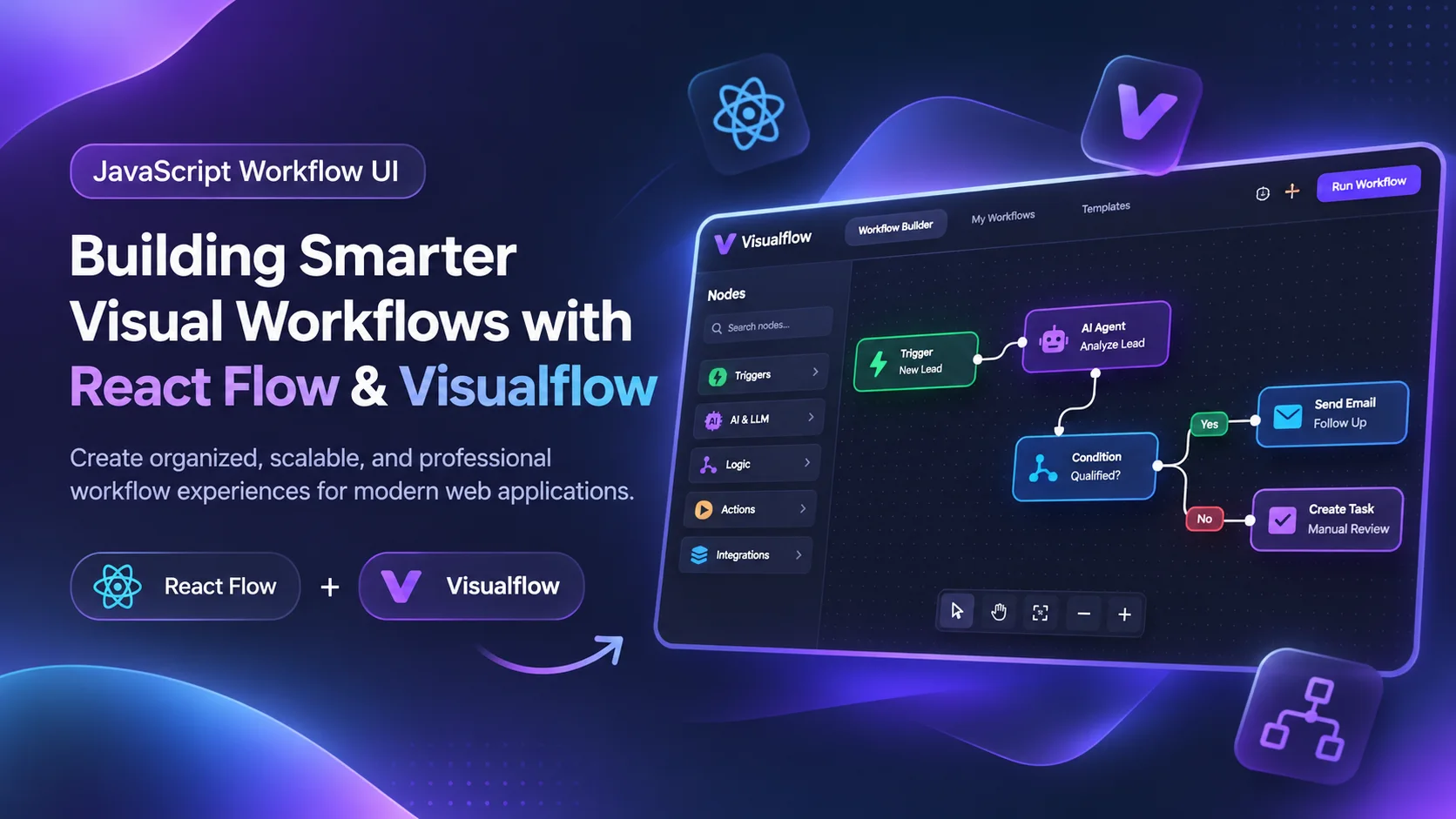
Modern web applications are becoming more intelligent, interconnected, and automated. From AI-powered automation platforms to low-code builders and data processing systems, workflows have become an essential part of how users interact with software.
JavaScript has played a significant role in this transformation. With powerful libraries like React Flow, developers can build interactive, node-based workflow editors that allow users to visualize complex processes, connect logic, and design automation without writing code for every step.
But building a functional workflow UI is only half the challenge. Making it organized, intuitive, scalable, and professional is where thoughtful design and the right tools make a difference.
Let's explore how React Flow powers modern workflow interfaces and how Visualflow helps transform them into more structured and professional experiences.
What Is a JavaScript Workflow UI?
A JavaScript workflow UI is an interactive interface that allows users to create, manage, and visualize processes through graphical elements.
Instead of writing everything as sequential code, users can interact with visual components such as:
- Nodes representing actions, triggers, or operations
- Edges representing connections between processes
- Drag-and-drop functionality
- Conditional logic and branching
- Interactive configuration panels
- Real-time workflow previews
These interfaces are commonly used in automation platforms, AI agent builders, CRM systems, data pipelines, and application logic designers.
The goal is simple: make complex logic easier to understand and manage.
Why React Flow Is a Popular Choice
React Flow is a powerful React library for building node-based editors and interactive diagrams.
It provides developers with the flexibility to create custom workflow experiences while maintaining control over application architecture and design.
Key Features of React Flow
1. Custom Nodes
Developers can create reusable React components for different workflow actions, including API requests, AI agents, decision nodes, database operations, and more.
2. Interactive Connections
Users can connect nodes through handles and edges to define relationships between workflow steps.
3. Drag-and-Drop Canvas
The interactive canvas allows users to move nodes, zoom, pan, and arrange complex workflows naturally.
4. State Management
React Flow supports controlled node and edge states, allowing developers to integrate workflow data with APIs, databases, and state management libraries.
5. Extensibility
Developers can customize edges, connection rules, node behavior, layouts, and interactions to build application-specific workflow editors.
These capabilities make React Flow an excellent foundation for building modern JavaScript workflow applications.
The Challenges of Building Workflow Interfaces
Although React Flow provides a flexible foundation, building a production-ready workflow UI requires much more than rendering nodes and edges.
As workflows become larger and more complex, developers often encounter several challenges.
1. Visual Complexity
A canvas containing dozens or hundreds of nodes can quickly become difficult to navigate. Poor spacing, inconsistent node sizes, and overlapping connections make workflows harder to understand.
2. Inconsistent UI Components
Different node types may have different layouts, styling, spacing, and interaction patterns. Without a consistent design system, the entire workflow editor can feel fragmented.
3. Difficult Workflow Management
Creating nodes is easy. Managing, organizing, editing, duplicating, and maintaining workflows as reusable assets is a different challenge.
4. Developer Productivity
Building every interaction, configuration panel, toolbar, and supporting interface from scratch takes significant development time.
5. Professional User Experience
A functional workflow builder does not automatically provide a polished user experience. Users expect intuitive controls, clear visual hierarchy, meaningful feedback, and an interface that feels reliable.
This is where Visualflow becomes particularly valuable.
How Visualflow Helps Build More Organized Workflow UIs
Visualflow is designed to help developers create more structured, organized, and professional node-based workflow experiences.
Rather than focusing only on connecting nodes, Visualflow emphasizes the broader workflow-building experience: how users create, interact with, and manage visual processes.
<AsyncImageGroup query={["modern professional node based workflow editor SaaS UI clean dark canvas connected nodes","professional AI automation workflow builder interface node cards configuration sidebar","modern visual programming workflow editor React node graph clean interface"]} aspectRatio="16:9" layout="bento"/>
1. Structured Workflow Design
Visualflow helps bring consistency to the workflow canvas through a more organized visual approach.
Well-structured node layouts, consistent spacing, and clear connections help users understand the relationship between different workflow steps.
This is especially important when building automation systems where multiple branches, conditions, and execution paths exist.
2. Professional Node-Based Interfaces
A workflow node should communicate more than its function. It should also communicate its status, configuration, and relationship with other nodes.
Visualflow helps developers move toward a more polished interface by focusing on the visual organization and usability of workflow components.
3. Better Workflow Organization
As workflow projects grow, managing individual workflows becomes increasingly important.
A professional workflow application needs more than a canvas. It also needs a structured environment where workflows can be created, accessed, maintained, and organized.
Visualflow helps developers think beyond the canvas and toward a complete workflow-building experience.
4. Improved Developer Experience
Instead of spending all development effort on UI structure and visual organization, developers can focus more on business logic, application functionality, and workflow execution.
For teams building SaaS products, this can make workflow development more efficient and consistent.
React Flow vs. Visualflow: Understanding the Difference
React Flow and Visualflow are not necessarily competing solutions. They can serve different purposes in the same development ecosystem.
| React Flow | Visualflow |
|---|---|
| A flexible React library | A workflow UI solution |
| Provides a node-based canvas foundation | Focuses on structured workflow experiences |
| Developers build custom components and interactions | Helps organize and professionalize workflow interfaces |
| Requires implementation of application-specific features | Supports a more complete workflow-building approach |
| Best for custom graph development | Best for improving workflow UI structure and usability |
React Flow gives developers the building blocks. Visualflow helps bring those building blocks into a more organized workflow experience.
Where JavaScript Workflow UIs Are Being Used
<AsyncImageGroup query={["AI agent visual workflow builder connected LLM tools nodes interface","SaaS automation workflow editor email trigger conditional branching UI","data pipeline visual node graph editor database processing workflow","low code application builder visual programming nodes canvas"]} aspectRatio="5:4" layout="bento"/>
JavaScript workflow interfaces are becoming increasingly useful across several industries.
AI Automation: Designing AI agents, connecting language models, integrating tools, and creating intelligent automation pipelines.
Business Process Automation: Automating repetitive business tasks, approvals, notifications, and customer communication.
Data Processing: Building visual pipelines for data transformation, validation, and integration.
Low-Code Platforms: Allowing non-technical users to configure application logic through visual interfaces.
SaaS Applications: Providing interactive workflow builders for customer onboarding, lead management, analytics, and operational automation.
As these applications become more sophisticated, workflow UI quality becomes a competitive advantage.
Building a Better Workflow Builder: Best Practices
Whether you are building with React Flow directly or using Visualflow to improve your workflow experience, several principles are worth following.
Keep Nodes Consistent
Use predictable layouts, spacing, typography, and visual hierarchy across different node types.
Design for Scalability
Consider how your interface behaves when workflows contain 50, 100, or even 500 nodes.
Make Connections Meaningful
Use clear connection points, readable edges, and logical flow direction to reduce confusion.
Separate Configuration from Visualization
Allow users to configure node properties without overcrowding the canvas with unnecessary information.
Prioritize Usability
A workflow editor should be intuitive for beginners while remaining powerful enough for experienced developers.
Think Beyond the Canvas
Workflow creation, editing, organization, execution, and management are all part of the user experience.
A great workflow UI brings these elements together into a cohesive system.
Final Thoughts
JavaScript has made it possible to build highly interactive workflow interfaces directly within modern web applications. React Flow provides developers with an excellent foundation for creating flexible node-based editors, while the real challenge lies in turning that foundation into a professional, scalable product.
Visualflow addresses this broader challenge by emphasizing organized workflow experiences, structured interfaces, and professional UI design.
For developers building AI automation platforms, low-code applications, or complex visual programming systems, the combination of React Flow's flexibility and Visualflow's approach to workflow organization offers an exciting direction for modern workflow development.
The future of workflow interfaces is not just about connecting nodes. It is about making complex processes understandable, manageable, and accessible.
And that is exactly what a well-designed workflow UI should accomplish.
Explore Visualflow: Discover how to create more organized and professional node-based workflow experiences for modern JavaScript applications.
Tags: JavaScript, React Flow, Workflow UI, Visual Programming, Workflow Builder, React Development, AI Automation, Visualflow, Low-Code Development