React Flow Multi-Directional Mindmap: Create Powerful Mind Maps in Every Direction
Organize your thoughts, visualize complex ideas, and build structured diagrams with React Flow Multi-Directional Mindmap — a flexible mind mapping solution designed to help you explore ideas from a central concept in multiple directions.
Whether you're brainstorming new ideas, planning a project, organizing research, creating a business strategy, or building a visual knowledge map, a multi-directional mind map makes it easier to connect related concepts and understand complex information.
Unlike traditional mind maps that follow a single direction, this interactive mind map allows you to expand branches on both the left and right sides of a central topic. This creates a balanced, organized, and scalable workspace for visual thinking.
What Is a Multi-Directional Mindmap?
A Multi-Directional Mindmap is a visual diagram that organizes information around a central topic, allowing related ideas, subtopics, and supporting details to expand in multiple directions.
Traditional mind maps typically grow from a central idea toward one side or follow a relatively fixed hierarchical structure. A multi-directional mind map provides more flexibility by distributing branches across both sides of the central concept.
For example, when planning a business strategy, you can place the main business objective in the center, organize marketing strategies on the right, and explore product development ideas on the left.
This approach helps you:
- Organize complex information visually.
- Explore multiple ideas simultaneously.
- Understand relationships between different topics.
- Build structured brainstorming diagrams.
- Expand your thoughts without overcrowding one side.
- Create balanced and readable mind maps.
Explore the React Flow Multi-Directional Mindmap
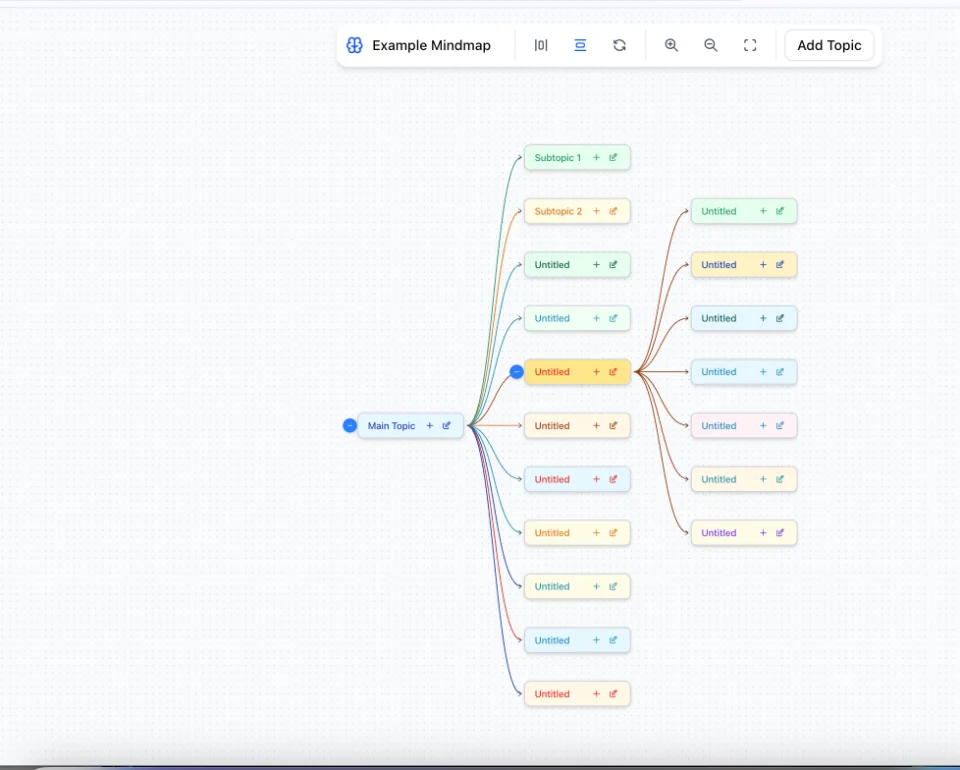
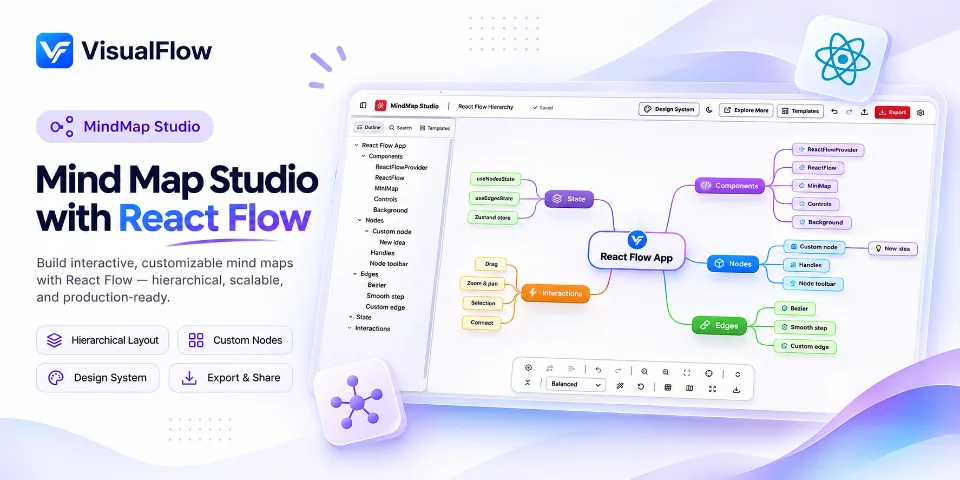
The React Flow Multi-Directional Mindmap transforms a traditional mind map into an interactive canvas where ideas can grow in multiple directions.
Built with React Flow, this example demonstrates how custom nodes, connected branches, and flexible positioning can create a structured mind mapping experience.
At the center of the canvas is the main concept. From there, users can create primary branches on either side and expand each branch into additional subtopics.
1. Central Idea Organization
Every effective mind map starts with a central idea.
The central node represents the main topic, project, question, or objective. All other nodes connect to this starting point, creating a clear visual hierarchy.
You can use the central concept to organize:
- Business plans.
- Project ideas.
- Study topics.
- Research subjects.
- Marketing strategies.
- Personal goals.
2. Left and Right Branch Expansion
One of the most important features of a multi-directional mind map is its ability to organize ideas on both sides of the central node.
Instead of expanding every topic in the same direction, branches can grow horizontally to the left and right.
This makes it possible to create more balanced diagrams and separate different categories of information.
For example:
- Left side: Research, planning, and analysis.
- Right side: Execution, implementation, and results.
Each primary branch can contain multiple sub-branches, allowing you to develop detailed mind maps without losing the overall structure.
3. Nested Topics and Subtopics
Complex ideas often require multiple levels of explanation.
A multi-directional mind map supports hierarchical thinking by allowing individual branches to contain their own subtopics.
You can start with a central concept, add primary branches, and continue expanding each branch into smaller supporting ideas.
This structure is particularly useful for:
- Creating detailed study notes.
- Breaking down large projects.
- Developing product requirements.
- Planning content strategies.
- Organizing technical documentation.
4. Color-Coded Mind Map Nodes
Visual organization plays an important role in understanding complex diagrams.
Different node colors can help distinguish categories, topics, priorities, and related information.
For example, you can use separate colors for different departments, project stages, research categories, or brainstorming topics.
Color-coded nodes make your mind map easier to scan and help users identify related ideas quickly.
5. Interactive Canvas and Navigation
A large mind map requires a flexible workspace.
The interactive canvas allows users to navigate through the diagram, zoom in for detailed information, zoom out to understand the overall structure, and reposition their view when working with larger diagrams.
This makes it easier to work with mind maps containing multiple branches and deeply nested topics.
6. Flexible Layout and Mind Map Customization
Different projects require different visual structures.
The multi-directional layout provides a flexible way to organize branches and subtopics according to the relationships between ideas.
You can customize your mind map to create a structure that works for your brainstorming sessions, project planning activities, educational materials, or business workflows.
A mind mapping tool should make it easier to understand ideas rather than simply display connected boxes.
Multi-directional mind mapping offers several advantages over conventional linear note-taking and one-sided mind maps.
Better Idea Organization: Organize different categories of information around a single central concept.
Improved Brainstorming: Explore multiple possibilities without forcing every idea into the same hierarchy.
Clearer Visual Relationships: Understand how primary topics connect to supporting concepts.
Scalable Structure: Expand individual branches as your ideas become more detailed.
Better Project Planning: Separate planning, execution, research, and other project components visually.
More Flexible Thinking: Explore different perspectives and relationships from a central starting point.
Best Use Cases for Multi-Directional Mind Maps
Multi-directional mind maps are useful across education, business, software development, research, and personal productivity.
Here are some practical applications.
1. Brainstorming and Idea Generation
Brainstorming sessions often produce dozens of ideas connected to one central subject.
A multi-directional mind map allows teams to distribute these ideas across multiple branches, making it easier to explore different approaches and discover new connections.
2. Business Strategy and Planning
Businesses can use mind maps to organize strategic objectives, marketing campaigns, business operations, customer segments, and growth opportunities.
Different branches can represent different departments or strategic priorities.
3. Education and Study Planning
Students can create visual study notes by placing a subject in the center and expanding it into chapters, concepts, definitions, and supporting information.
This structure is useful for exam preparation, revision, and understanding relationships between complex topics.
4. Software Development and System Architecture
Developers can use multi-directional mind maps to organize application features, technical requirements, modules, integrations, and development tasks.
It provides a visual overview before moving into detailed implementation.
5. Research and Knowledge Management
Researchers can organize research questions, methodologies, literature reviews, findings, and future research directions around a central research topic.
This makes it easier to explore connections between different areas of knowledge.
6. Content Planning and SEO Strategy
Content creators and SEO professionals can use mind maps to organize website structures, keyword clusters, blog topics, content categories, and internal linking strategies.
A central website topic can expand into multiple content clusters, helping create a more organized content strategy.
React Flow: The Technology Behind Interactive Mind Maps
React Flow is a powerful React library for building interactive node-based applications, diagrams, workflows, and visual editors.
It provides the foundation for creating connected nodes, custom node interfaces, interactive edges, and canvas-based navigation.
For developers, React Flow offers several capabilities that make it suitable for building advanced mind mapping applications:
- Custom Nodes: Design nodes with different shapes, styles, and content.
- Custom Edges: Create visually distinct connections between topics.
- Interactive Canvas: Support zooming, panning, and node interactions.
- Node Positioning: Control how ideas are arranged on the canvas.
- Flexible Connections: Connect related topics using customizable handles.
- Extensible Architecture: Build advanced mind mapping features using React components.
By combining these capabilities, developers can create mind mapping applications that go beyond static diagrams.
Multi-Directional Mindmap vs Traditional Mindmap
| Feature | Traditional Mindmap | Multi-Directional Mindmap |
|---|
| Central topic | Yes | Yes |
| Branch expansion | Usually follows a conventional direction | Left and right |
| Multiple subtopics | Yes | Yes |
| Visual organization | Hierarchical | Multi-directional hierarchy |
| Complex diagrams | Can become crowded | More balanced layout |
| Brainstorming | Yes | Yes |
| Flexible categorization | Depends on layout | Supports multiple directions |
Both approaches are useful, but multi-directional mind mapping provides additional flexibility when organizing large numbers of ideas around a central concept.
Who Should Use a Multi-Directional Mindmap?
This type of mind mapping tool is suitable for anyone who needs to organize information visually.
It is particularly useful for:
- Students creating visual study notes.
- Teachers preparing educational diagrams.
- Project managers organizing project requirements.
- Business owners developing strategic plans.
- Developers designing application structures.
- Researchers organizing complex information.
- Content creators planning content clusters.
- Marketing professionals developing campaign strategies.
- Teams collaborating during brainstorming sessions.
Whether you are working on a small personal project or organizing a complex business strategy, a multi-directional mind map can help make your ideas easier to understand.
Frequently Asked Questions (FAQs)
What is a multi-directional mind map?
A multi-directional mind map is a visual diagram that organizes ideas around a central topic, allowing branches and subtopics to expand in multiple directions, commonly to both the left and right.
How is a multi-directional mind map different from a regular mind map?
A regular mind map often follows a conventional branching layout, while a multi-directional mind map distributes ideas across multiple directions. This can create a more balanced visual structure for complex topics.
The best mind mapping tool depends on your requirements. Look for features such as flexible layouts, customizable nodes, connected branches, zooming, and support for large diagrams. React Flow is also a powerful option for developers building custom mind mapping applications.
Can I create a mind map using React Flow?
Yes. React Flow provides the components and functionality needed to build interactive mind maps using custom nodes, edges, connection handles, and canvas navigation.
Can a mind map have branches on both sides?
Yes. A multi-directional mind map can place primary branches on both sides of a central concept, allowing users to organize different categories and supporting ideas more effectively.
Are mind maps useful for project management?
Yes. Mind maps help project managers visualize project goals, requirements, tasks, dependencies, and different workstreams in a structured format.
Can I use a mind map for SEO and content planning?
Absolutely. Mind maps are useful for organizing keyword research, topic clusters, blog categories, website structures, and content marketing strategies.
Is React Flow suitable for building advanced mind mapping software?
Yes. React Flow supports custom nodes, edges, interactions, and canvas navigation, making it a flexible foundation for building advanced mind mapping and diagramming applications.
Start Organizing Your Ideas with a Multi-Directional Mindmap
Ideas become easier to understand when they are organized visually.
The React Flow Multi-Directional Mindmap demonstrates how a central concept can expand into multiple branches, subtopics, and interconnected ideas using a flexible visual structure.
Whether you are brainstorming, studying, planning a project, organizing research, or exploring a business strategy, multi-directional mind mapping provides a practical way to turn scattered thoughts into structured knowledge.
Explore more interactive React Flow examples and discover new ways to build mind maps, flowcharts, workflow diagrams, and visual applications with VisualFlow.
Visualize your ideas. Connect your thoughts. Build better structures.
 VisualFlow